
EXAM PREPARATION / GOETHE · TELC

Prepare for your Goethe & telc A1 exam

Prepare for Goethe and telc A1: all four skills, AI feedback for writing and speaking, roleplay practice, mock tests, grammar and vocabulary.

Free introductory features · In-app purchases may apply. Check your store for pricing and features.

Explore all features
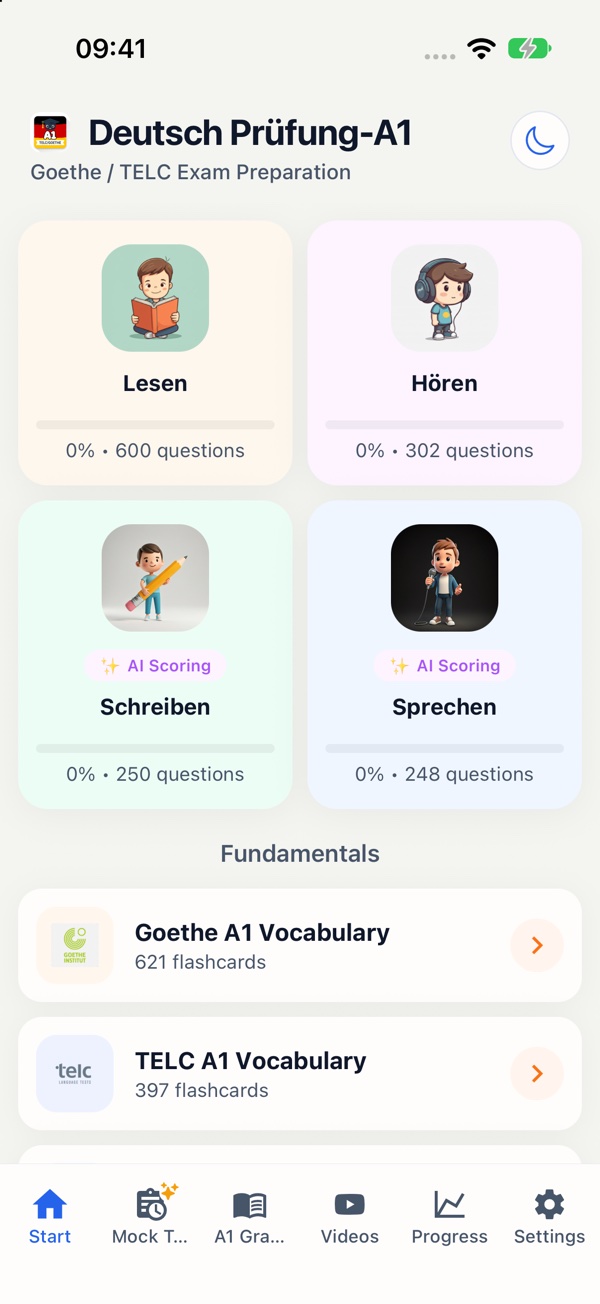
Original screenshot: Prepare for your Goethe & telc A1 examAPP / 01 — GOETHE · TELC
01 / EXAM PREPARATION

Your beginning. Your pace.

Already understand simple German sentences and want to prepare for your first language exam? The A1 app brings together exam-style exercises, vocabulary, grammar and mock tests. Practise introducing yourself, writing short messages and finding the key information in simple texts and conversations.

Information about the exam format

A1 PREMIUM / INSIDE THE APP

Your A1 preparation.
Step by step.

Seven ways to move forward. Scroll through real app recordings.

01 / 07Listening
Original recording · silent
Read the walkthrough

The task asks where the friends want to eat. The audio is played. The recording then selects “Zu Hause” and shows the explanation.

Open video separately ↗
01 / 07Listening

A1 · Listening practiceTune in.
To German.

Train your listening with everyday conversations and situations. Play the recording and choose the matching answer.

  1. Listen to the audio task.
  2. Choose the matching answer.
  3. Learn from the explanation.

Have a listen. Straight from the app.

Read the content summary

Steffi wants to go to a restaurant. Tom thinks it is too expensive and suggests cooking at home. Steffi agrees.


Get the A1 app
02 / 07Reading
Original recording · silent
Read the walkthrough

Meike’s train arrives at 13:42. The statement “before half past one” is false. The app explains that “halb zwei” means 13:30.

Open video separately ↗
02 / 07Reading

A1 · Reading practiceRead a little.
Discover a lot.

Short messages, adverts and notices: practise reading closely for your Goethe and telc A1 preparation.

  1. Read the message carefully.
  2. Choose “Richtig” or “Falsch”.
  3. Understand the answer with its explanation.
Get the A1 app
03 / 07Writing + AI
Original recording · silent
Read the walkthrough

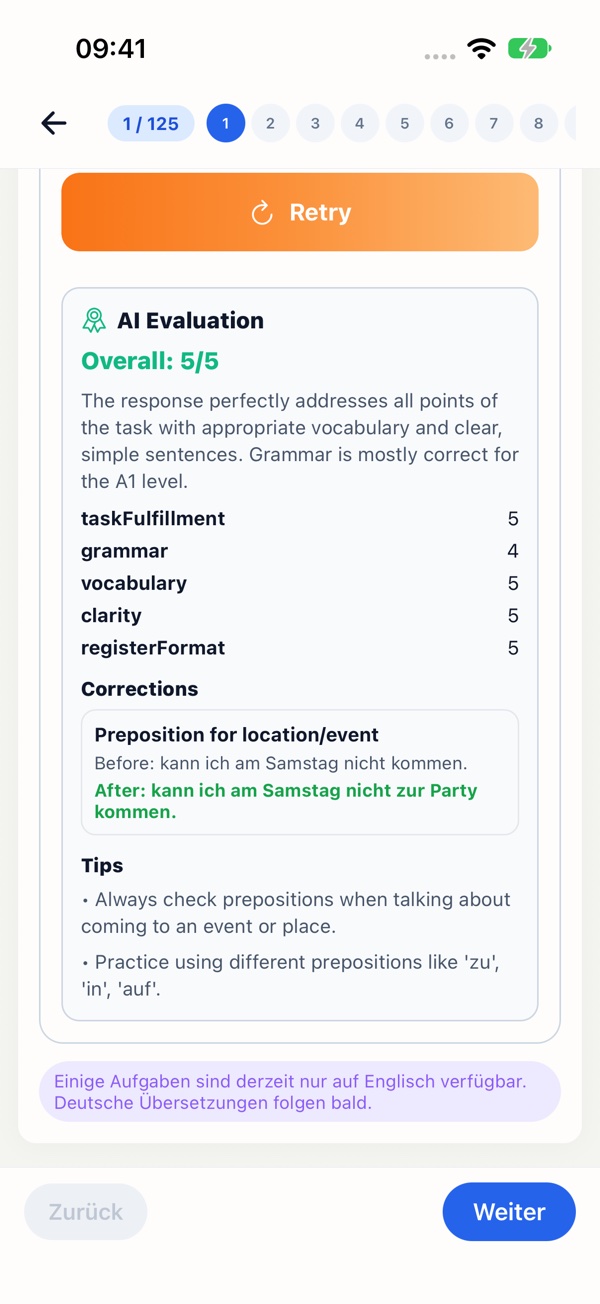
The writing task is a birthday message to Maria. A prepared example answer is sent through the app’s real “Evaluate with AI” feature. The recording shows the returned AI evaluation.

Open video separately ↗
03 / 07Writing + AI

A1 · Writing + AI practiceYour words.
Your progress.

Write a short message for an exam-style task. Have your text evaluated and use the feedback to improve your next answer.

  1. Read the task and its key points.
  2. Write your own message.
  3. Review the AI evaluation and corrections.

AI feedback helps you revise and can contain errors.

Get the A1 app
04 / 07Speaking & roleplay
Original recording · silent
Read the walkthrough

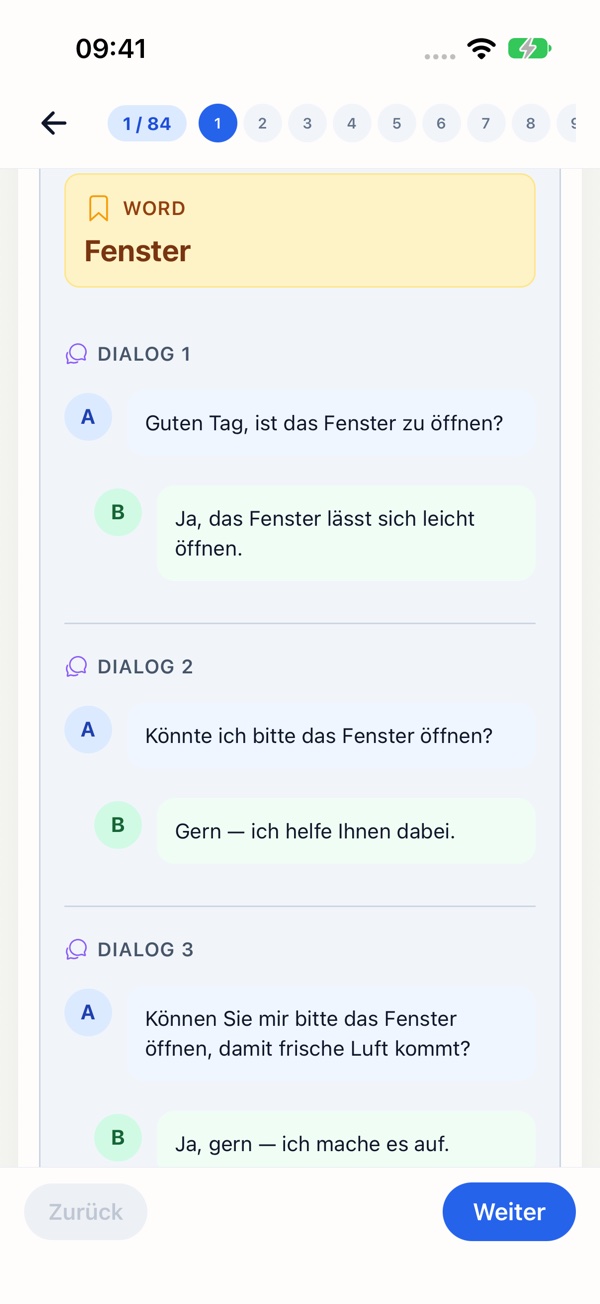
The picture card shows a window. “Show sample dialogues” reveals example exchanges for making and responding to requests. The app also offers recording and AI evaluation of your own spoken answers. The displayed dialogues are practice examples.

Open video separately ↗
04 / 07Speaking & roleplay

A1 · Speaking & roleplay practiceSpeak up.
You’ve got this.

Introduce yourself, ask questions and respond to requests. Use sample dialogues for roleplay practice and the recorder with AI evaluation for your own answers.

  1. Look at the picture card and speaking task.
  2. Practise questions and answers with a sample dialogue.
  3. Record your own answer and request an AI evaluation.

AI feedback helps you revise and can contain errors.

Get the A1 app
05 / 07Mock tests
Original recording · silent
Read the walkthrough

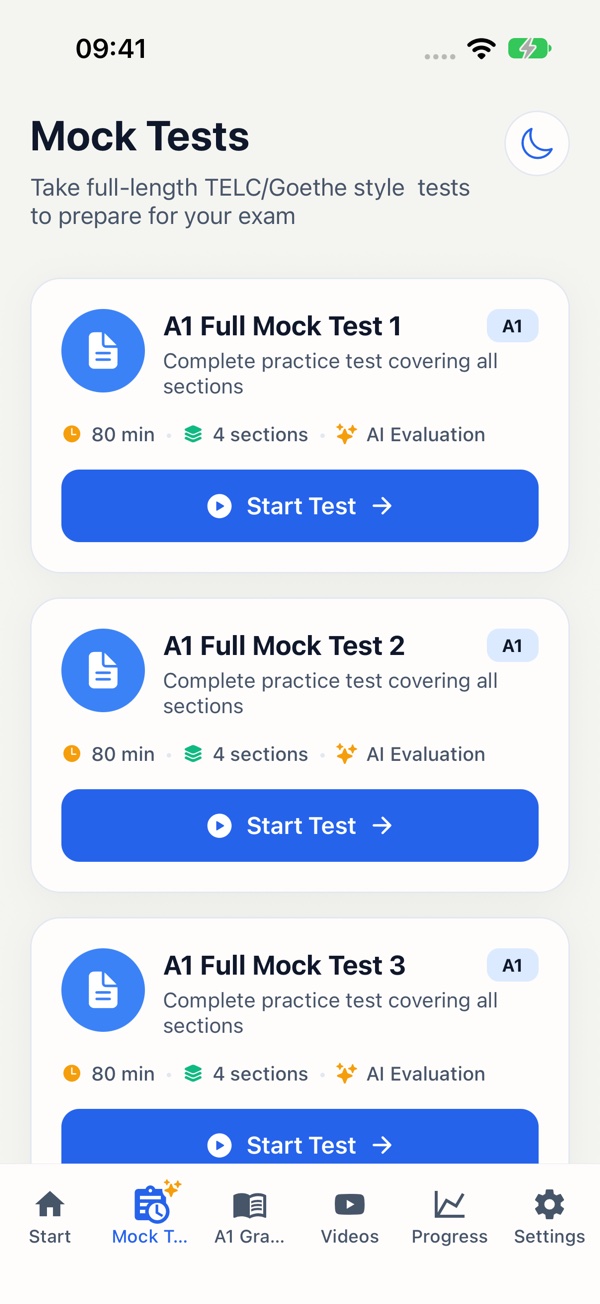
The overview shows the full A1 mock tests. A test is selected, instructions covering all four skills are opened, and the exam simulation starts.

Open video separately ↗
05 / 07Mock tests

A1 · Mock tests practiceA rehearsal
for your goal.

Ten full A1 mock tests combine listening, reading, writing and speaking. Start an exam simulation and practise with a running timer.

  1. Choose a full mock test.
  2. Review the instructions and sections.
  3. Start the test with its timer.
Get the A1 app
06 / 07Grammar
Original recording · silent
Read the walkthrough

The grammar overview leads to article practice. A matching article is selected in a multiple-choice exercise. The app shows the answer and an explanation.

Open video separately ↗
06 / 07Grammar

A1 · Grammar practiceFrom “why?”
to “got it!”

Articles, word order or verb forms: combine short explanations with practice and understand why an answer is correct.

  1. Choose a grammar topic.
  2. Answer a practice question.
  3. Compare the solution and explanation.
Get the A1 app
07 / 07Vocabulary
Original recording · silent
Read the walkthrough

The “der Name” card shows a German example sentence. A tap reveals the meaning “name”. The recording then moves on to “die Adresse”.

Open video separately ↗
07 / 07Vocabulary

A1 · Vocabulary practiceNew words.
New possibilities.

Revise A1 vocabulary by topic. Flashcards connect each German word with its meaning, an example sentence and pronunciation playback.

  1. Read the word and example sentence.
  2. Reveal the meaning and compare.
  3. Continue with the next flashcard.
Get the A1 app

Shown: A1 Premium · iPhone app, version 1.3.3. The interface also includes English text. Check the relevant store for premium availability and pricing.

YOUR EXAM FORMAT

Your A1 exam. A practical plan.

The app independently supports Goethe-Zertifikat A1: Start Deutsch 1 and telc Deutsch A1 preparation. Practise listening, reading, writing and speaking. The exams have their own task formats; use current official practice materials for the particular exam you will take.

For example: write a short message

You cannot attend your German class on Tuesday. Write to your teacher: Why can you not come? When will you return? Ask for the homework. Write your own message and check that you answered all three points.

Original study prompt by Quiet Compute Labs; not an official exam task.

How the app supports your practice

In the A1 app, revise your own writing and recorded speaking answers using AI feedback. Roleplay dialogues, ten full A1 mock tests, grammar and vocabulary complement the four skills. AI feedback is a study aid, not an official exam assessment.

Start free. Choose premium when it suits you.

The download and free introductory features let you try the app. Additional content, AI use where offered, and other premium features may be paid or limited. Check the App Store or Google Play for current prices, subscriptions and feature limits before purchasing.

YOUR TURN

A small
aha moment.

Try an original A1 app question right here.

Website demo. Your answer is not stored.
A1 · READING

Hallo Meike,

schön, dass du kommst! Dein Zug kommt um 13.42 Uhr hier in Stuttgart an. Ich bin ab 13.20 Uhr am Gleis 5 und warte dort auf dich.

Bis bald
Sonja

Excerpt from the message

Meikes Zug kommt vor halb zwei an.
03 / ORIGINAL APP STORE SCREENSHOTS

What learning looks like.

04 / FAQ

Good to know.

Which A1 exams does the app prepare me for?

The app supports preparation for Goethe-Zertifikat A1 and telc Deutsch A1. It is an independent study tool.

Can I get feedback on writing and speaking?

Yes. The app listing includes AI-assisted evaluation of written tasks and recorded speaking answers. Check your store for current availability and usage limits.

Does the app support Start Deutsch 1 preparation?

Yes. The A1 app supports Goethe-Zertifikat A1: Start Deutsch 1 and telc Deutsch A1 preparation. Also consult current information for your particular exam.

Is roleplay a live conversation with an AI?

You practise speaking tasks and sample dialogues, record answers and can receive AI feedback. The demonstrated feature is not an open-ended live conversation with an AI partner.

Are the apps free?

The apps offer free introductory features. Ads, in-app purchases or subscriptions may apply. Check the relevant store for current pricing and the exact features available.

We’re here to help.

A question about an app? Email us with the app name and your device so we can help you more effectively.

support@deutsch-pruefung.de
05 / All apps

Keep moving forward.

Practise for the citizenship test too
GERMAN EXAM PREP / A1—B2 + LiD

Your next step
starts here.

Choose your app